

Hardware and building supplies
Pipes by the metre, nails by the kilo, cement by the bag.
A hardware counter sells the same day in five different units, and the same item in a dozen sizes. The Hardware Store template sets up sizes, materials and power-tool fields; Construction Materials adds bags, tons and grades for yards that supply building sites.
What the template sets up
Choose Hardware Store or Construction Materials when you create the business. This is your starting point; every part of it can be changed later in Settings.
- Tracking
- Quantity for most stock; serial numbers for power tools.
- Units
- Metre, feet, kilogram, piece, set and more. Construction adds bag, ton and cubic feet, with ton → kilogram built in.
- Fields
- Size, material (steel, PVC, brass, aluminium, plastic, wood, copper), brand, model; voltage and power for tools. Construction adds grade.
- Categories
- Tools (power, hand), plumbing, electrical, fasteners. Construction: cement, steel, aggregates.
- Modules
- Inventory, Purchasing, Sales, Point of Sale, Reports, Expenses.
What you can do today
Sell in the unit the customer asks for
PVC pipe by the metre, nails by the kilogram, cement by the bag. Conversions such as kilogram to gram are already there.
Filter by what matters
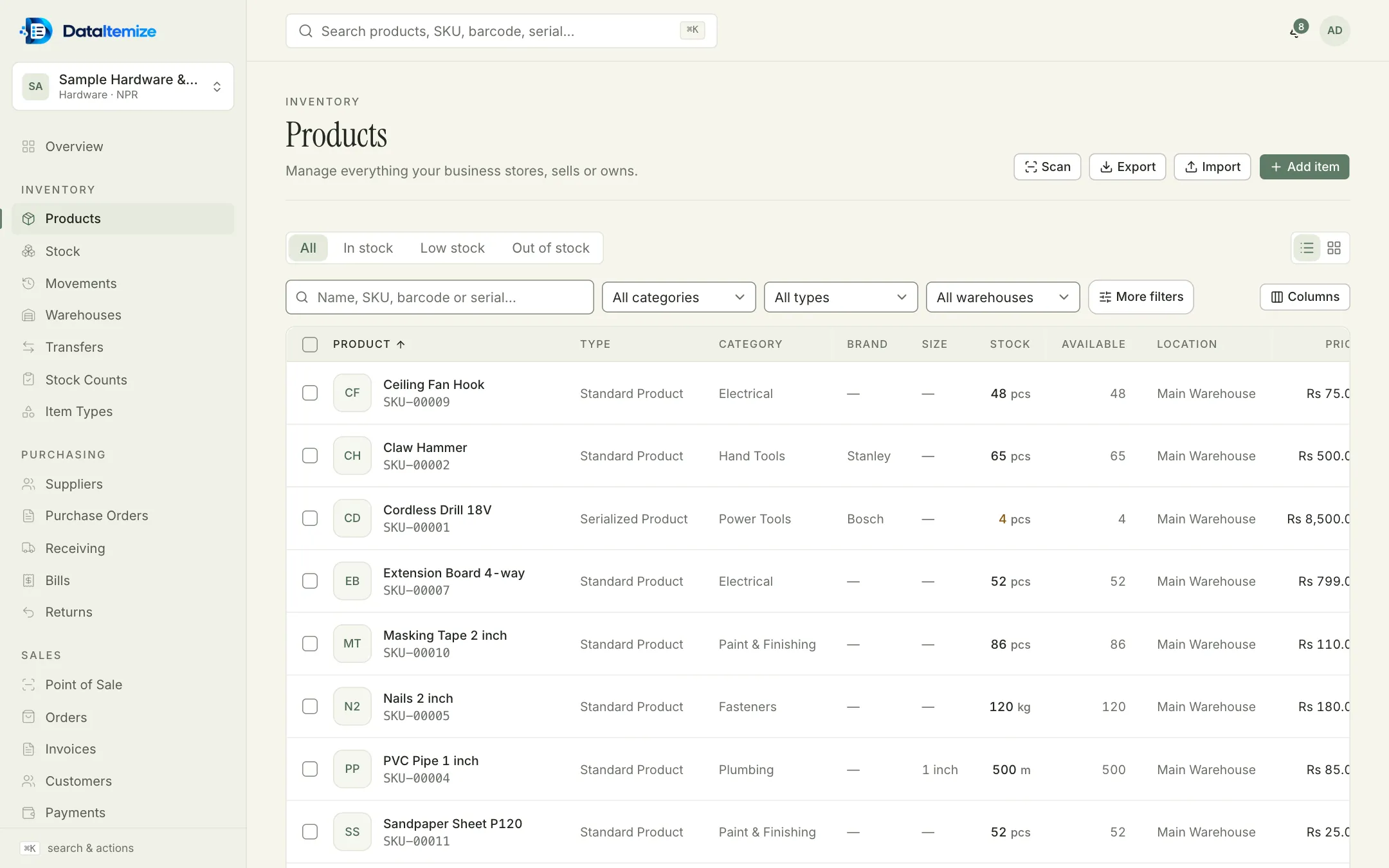
Size, material and brand are filterable and show in the product table, so ‘1 inch PVC’ is one filter away.
Supply your sites
Transfer stock from the yard to a site warehouse with a request, approval, shipment and receipt, so you know what is on the truck.
Buy from suppliers
Raise purchase orders, receive deliveries in part or in full, post the supplier’s bill and record payment.
Track grades
Construction Materials adds a Grade field, such as 53 for cement or Fe500 for steel bars, shown in the product table.
What it doesn’t do
Worth knowing before you start. If one of these rules it out for you, tell us; it helps us decide what to build next.
- There are no multi-level bills of materials or work orders.
- Delivery scheduling and vehicle routing are not part of the product.
Start from the Hardware Store template.
Create an account, choose the template closest to your trade, and switch on sample data at the end of setup if you want something to explore first.