
Retail shops
Serve the queue, and the shelf counts itself.
Most retail stock is simple: a product, a barcode, a quantity on the shelf. What matters is a quick counter and knowing what to reorder before it runs out. Grocery shops get the same counter, plus goods sold by weight and batches with expiry dates.
What the template sets up
Choose Retail Store or Grocery when you create the business. This is your starting point; every part of it can be changed later in Settings.
- Tracking
- By quantity. Grocery adds weighed goods and batches with expiry, picked first-expiring-first-out.
- Units
- Piece, box, set, pair, dozen, kilogram, gram, litre and more. Grocery adds packet and bag.
- Fields
- Brand. Grocery adds origin.
- Modules
- Inventory, Purchasing, Sales, Point of Sale, Reports, Expenses.
What you can do today
Ring up a sale
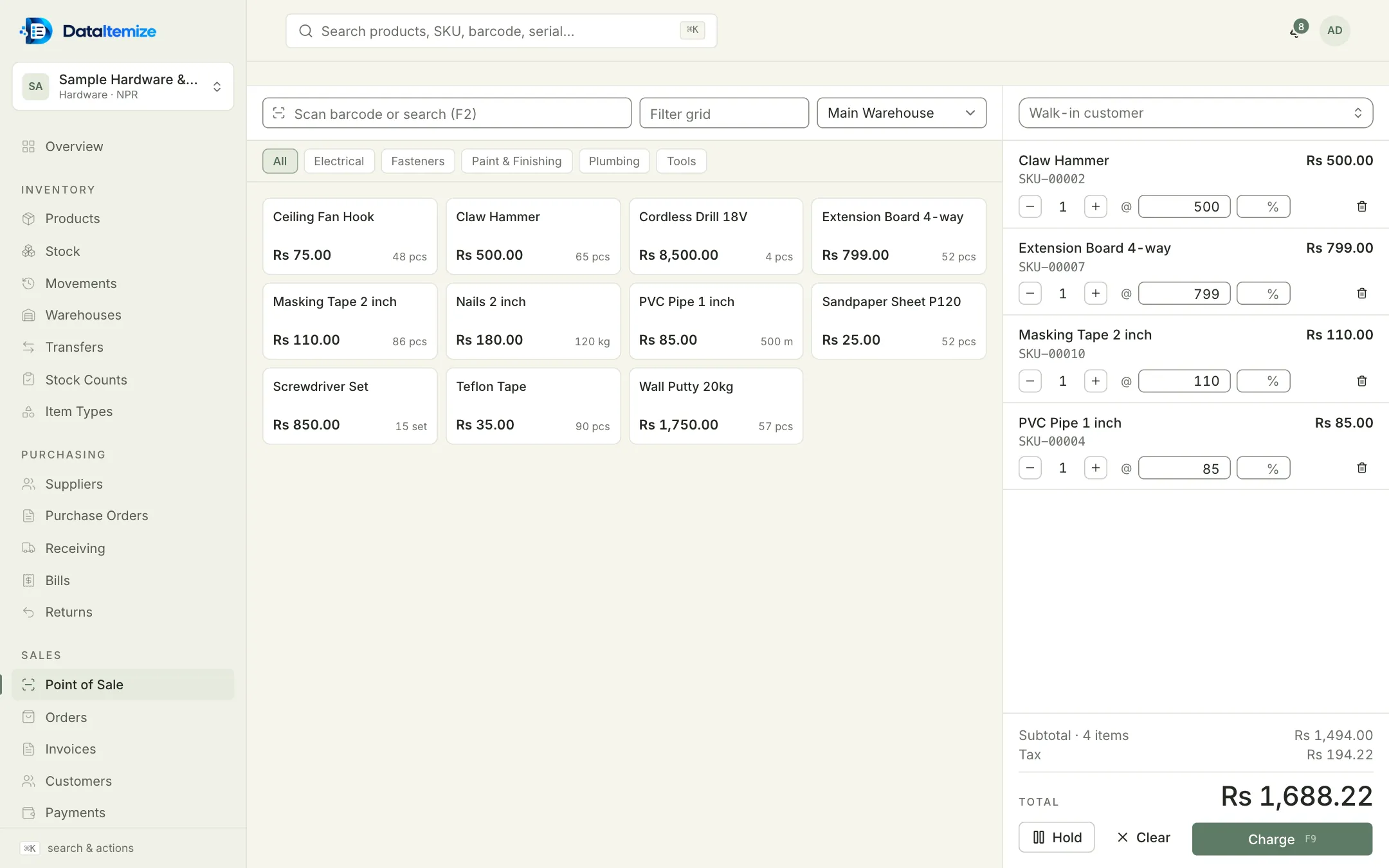
Scan a barcode or search with F2, change quantity, price or discount on a line, and press Charge (F9). Subtotal, tax and total update as you go.
Take payment more than one way
Split one sale across cash, card, bank transfer, digital wallet or credit. The payment dialog shows what was tendered and the change due.
Park a cart
Hold a sale while a customer fetches one more thing, serve the next person, then resume it. Held carts are kept in that browser on that device.
Print receipts and shelf labels
Print a receipt after each sale. Barcode labels (Code 128) print in 38 × 25, 50 × 30 or 70 × 40 mm from the browser.
Reorder in time
Give each product a reorder level. The dashboard and the Low stock report list everything at or below it, with the preferred supplier.
Take returns
Record a return against the invoice and decide whether the goods go back on the shelf.
What it doesn’t do
Worth knowing before you start. If one of these rules it out for you, tell us; it helps us decide what to build next.
- There is no offline mode; the counter needs an internet connection.
- There is no cash-drawer count or shift-closing report.
- There is no loyalty or gift-card programme.
Start from the Retail Store template.
Create an account, choose the template closest to your trade, and switch on sample data at the end of setup if you want something to explore first.